Contents +
The sentence we hear most in first meetings with business owners is: “We need more customers.” Then we look at the last three months of enquiries together. Unanswered WhatsApp messages, calls nobody can trace, proposals sent and never followed up… Most of the time the problem isn't finding new customers; it's losing the ones who already came to you.
In this article we explain what a CRM is, how to tell whether your business needs one, how to choose the right system and how to switch in 30 days. Halfway through there is a small calculator that shows what unanswered leads cost you every month.
Growth rarely starts with finding new customers. It starts with not losing the ones who already knocked.
What is a CRM?
A CRM (Customer Relationship Management system) brings everything your company knows about its customers into one place. Who came in, when and through which channel? Who said what to whom, and which proposal was sent? What is the next step, and who owns it? The answers to all of these live on a single screen.
A CRM is not only software; it is a way of working. Sales, marketing and customer service work from the same data, so the question “Who spoke to this customer last?” disappears.
Everyone on your team sees, on the same screen, who wants what, when they want it and what the next step is.
The hidden cost of growing without a CRM
In companies without a CRM, customer information is scattered. Some of it sits in spreadsheets, some on a sales rep's phone, some only in somebody's memory. That works while the business is small. As enquiries grow, the cracks widen.

- Leads get lost. A web form enquiry stays in an inbox, an Instagram question stays in DMs, and nobody owns it.
- Replies come late. Customers often go with the first company that answers. If nobody owns the enquiry, the first answer is always late.
- Proposals aren't followed up. A proposal goes out and is forgotten. When the customer says “let me think about it”, there is no reminder to call them back.
- Knowledge walks out the door. When a sales rep leaves, the customer history leaves with them.
- Marketing flies blind. If you don't know which ad brings sales, you can't put your budget in the right place.
Each of these looks small on its own. Added up, they become revenue that quietly walks out every month. Try it with your own numbers:
How much do unanswered leads cost you each month?
Enter your own numbers. Everything is calculated in your browser; nothing is stored.
Formula: leads × share left unanswered × conversion rate × average sale. It assumes those leads would convert at the same rate as the others if they were followed up; treat it as a rough estimate.
7 signs you need a CRM
If three or more of these sound familiar, a CRM is no longer a luxury; it's a necessity.
Customer data is scattered
Contacts live in spreadsheets, phone books and notebooks, and none of them is fully up to date.
“Who spoke to them last?”
When a customer calls, you have to ask three people to find their history.
Proposals hang in the air
Many of the proposals you send are never followed up.
Knowledge depends on people
When someone goes on leave or quits, their customers become a question mark.
Ad returns are unknown
You can't say with numbers which channel actually brings sales.
Month-end is always a surprise
You can't forecast how much will sell next month.
Two prices for one customer
Different people on your team quote the same customer differently.
Three or more?
Then the rest of this article is for you.
What changes with a CRM?
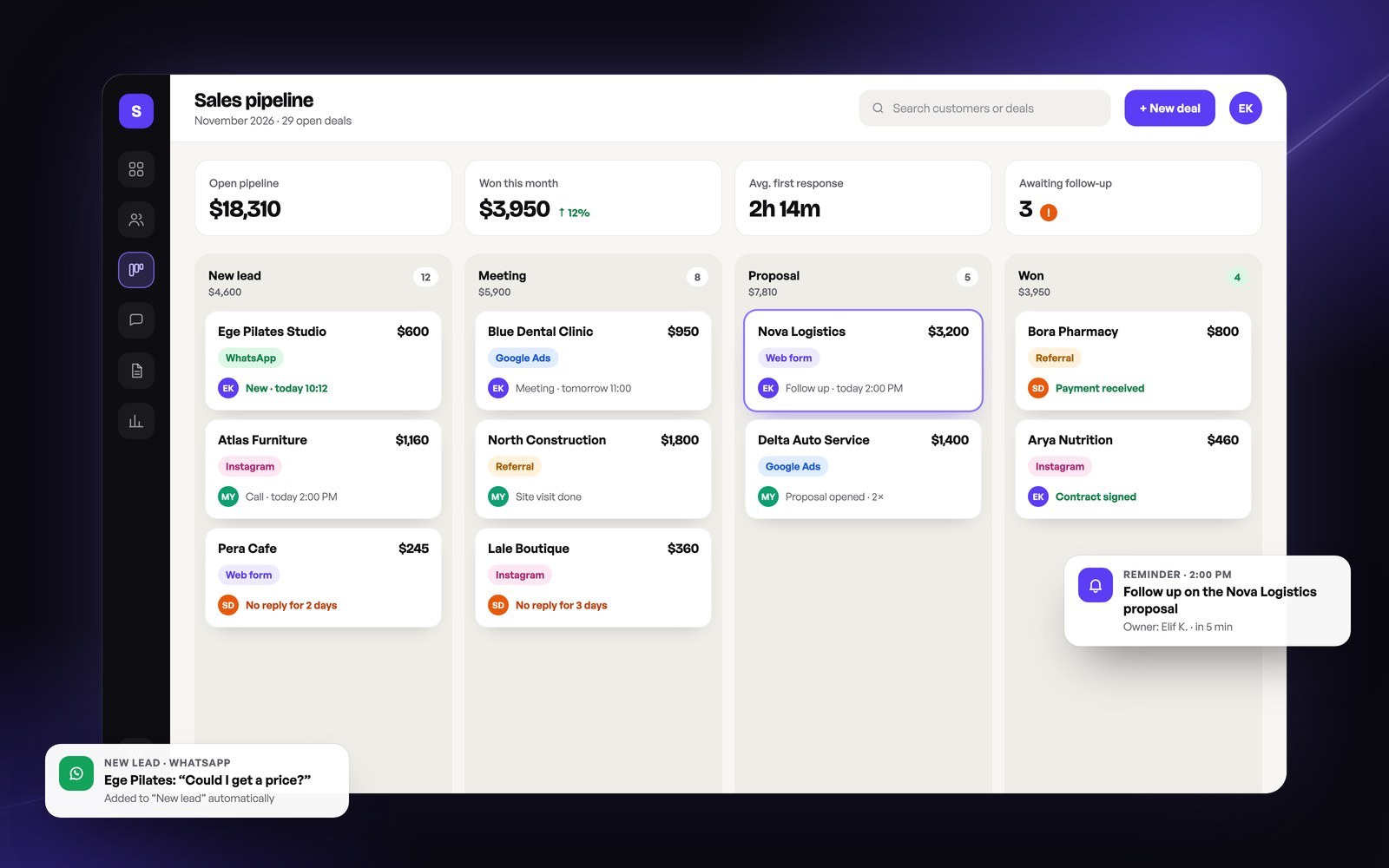
In a well-built CRM, every enquiry lands in the system automatically, is assigned to an owner and moves through the sales pipeline. The team sees at a glance which deal is at which stage and who is waiting on what.
Without a CRM
- Enquiries scattered across email, DMs and phone
- Follow-up depends on someone's memory
- Proposals in spreadsheets, versions mixed up
- Customer history leaves with the employee
- Reports built by hand, and late
- Ad budget split by guesswork
With a CRM
- Every channel in one inbox
- Every step has an owner and a reminder
- Proposals from templates in one click
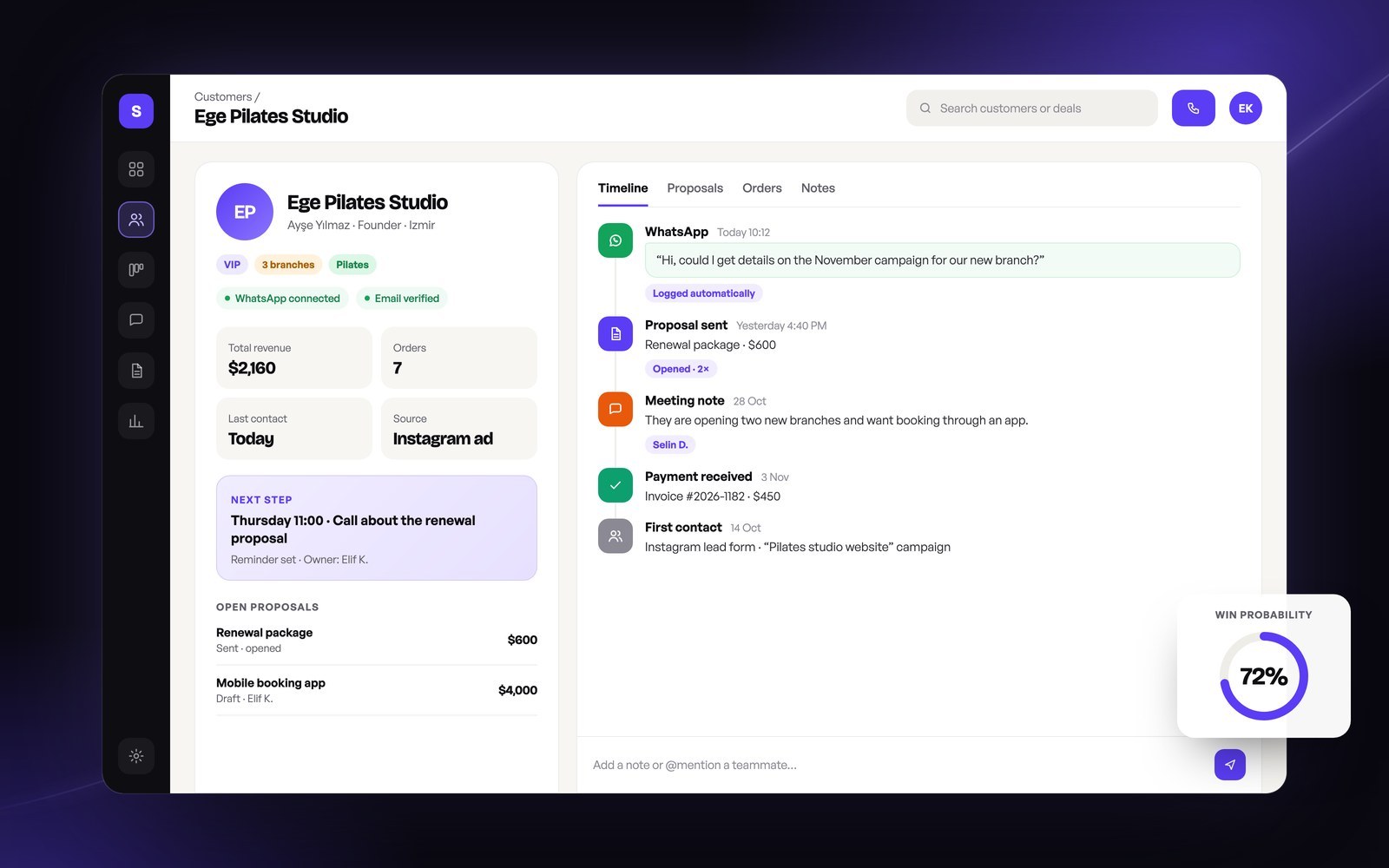
- The full history on the customer card
- Reports that are live and automatic
- You know which ad brings sales
Four direct effects on growth
Faster first response
A new lead reaches its owner instantly. A fast answer lets the customer choose you before they reach a competitor.
Fewer missed deals
Reminders and automatic follow-ups mean no proposal is left hanging.
More repeat sales
You know what each customer bought and when they need to renew, so you make the right offer at the right time.
Measurable marketing
You see which campaign every sale came from and move your budget to the channels that work.
A quick example: imagine a company that receives 200 leads a month, turns one in five followed-up leads into a sale and has an average sale of $400. Cutting the share of unanswered leads from 30% to 10% means 40 more leads are followed up every month. With the same ad budget, that is roughly $3,200 of extra potential revenue a month.
How to choose the right CRM
There are hundreds of CRMs on the market. Choose by your team's daily work, not by the feature list. These points matter most:
- WhatsApp integration: Your customers most likely message you on WhatsApp. Messages should land on the customer card automatically.
- Mobile use: Your field team should be able to use the CRM comfortably from a phone.
- Local integrations: It should talk to your e-invoicing and accounting software.
- Ease of use: A CRM your team doesn't adopt turns into an expensive spreadsheet.
- Permissions: Everyone should see only what they need to see.
- Reporting: Pipeline, conversion by source and team performance should be one click away.
- Data ownership and privacy: You should know where your data is stored and be able to export it whenever you want.
You start fast and pay a monthly fee per user, and you adapt your process to the software. A good start for teams with a standard sales process.
The software is shaped around your process. It gives you flexibility with WhatsApp, proposal, stock and accounting integrations, and your data stays entirely yours. It costs more up front and can be more efficient in the long run for businesses with their own way of working.
A 30-day CRM rollout plan
- Week 1
Map the process
Define your sales stages (new lead, meeting, proposal, won) and the information to keep at each stage.
- Week 2
Gather the data
Bring spreadsheets, phone books and email lists together in one place and remove duplicates.
- Week 3
Set up and connect
Connect your web forms, WhatsApp, email and ad sources to the CRM, and prepare reminder and proposal templates.
- Week 4
Train the team and start measuring
Run a short training, read the first weekly report together and fix the steps that stall.
The best CRM is the one your team actually uses every day.
Let's build the CRM your business needs.
With WhatsApp integration, a proposal module, accounting connections and live reports: a system designed around your process, with data that is entirely yours.
Conclusion

The cheapest way to grow is to stop losing the customers who are already knocking on your door. A CRM makes that systematic: every enquiry is recorded, every proposal is followed up and you know where every sale came from. Clarify your process first, then pick the tool that fits it. The rest is steady follow-up.
Frequently asked questions
Does a small business need a CRM?
If you have more customers than you can track by hand, or more than one person talks to customers, yes. Even a simple CRM quickly reduces the leads you lose.
Is a CRM expensive?
Off-the-shelf CRMs charge a monthly fee per user. A custom CRM is a one-off development cost plus optional maintenance. Often a single big sale that you no longer lose covers the cost.
What happens to our spreadsheet data?
Your existing spreadsheets and contacts are cleaned and imported into the CRM, so your past customers are in the system from day one.
Is our data safe?
A good CRM offers permissions, an activity log and backups, and supports the consent and privacy requirements you are subject to. With a custom CRM, your data lives on your own server or the cloud you choose.
How soon can we start using it?
An off-the-shelf CRM can be set up in a few days. The first version of a custom CRM usually goes live within a few weeks, depending on its scope.

We are an Istanbul-based digital agency that brings strategy, software, brand and advertising together in one team. On this blog we write plain, actionable guides for business owners.